- Created by PostDICOM.jpg)
MRIs produce detailed images, sometimes with multiple sequences and imaging planes, and previous studies for comparison. Efficient storage and management of these MRI studies are an important component of the imaging workflow for hospitals, imaging centers, and radiology groups. A modern cloud PACS enables healthcare teams to securely store, share, access, and view MRI studies not only on local servers, CDs, or DVDs, but also via manual file transfers.
Cloud PACS for MRI is a cloud storage system for storing, viewing, retrieving, and sharing MRI studies in DICOM format. Healthcare organizations can store studies in the cloud and provide secure access for authorized users from various locations, without storing all MRI data solely on local PACS servers.
In cases of MRI workflow, cloud PACS can help to lessen the need for local infrastructure, enable remote radiology access, streamline image sharing, and enhance the availability of studies for follow-up care. It is not a replacement for MRI scanners, radiologists, or clinical decisions, but can improve the efficiency of image management in MRI and scale up management.
MRI testing is often more extensive and complex than a simple imaging exam. Multiple series, imaging planes, contrast phases, and comparison studies can be performed during a single MRI exam. These files should be stored in an organized, secure, retrievable manner when needed.
Traditional workflows can rely on local PACS servers, physical media, or access to the system by the facility. This can make it cumbersome to access the same MRI study from different sites and times by either radiologists, referring physicians, specialists, or the patient.
Cloud PACS can address most of the following MRI workflow requirements:
• Storing Large Mri Studies Securely
• Giving Authorized Users Remote Access
• Sharing Studies With Referring Physicians Or Specialists
• Reducing Dependence On Cds And Dvds
• Supporting Backup And Long-term Archiving
• Making Prior Mri Exams Easier To Retrieve For Comparison
MRI scanners create medical images in DICOM format. DICOM is the standard format for exchanging and storing medical imaging data from modalities such as MRI, CT, ultrasound, and X-ray. Those imaging studies are stored, managed, retrieved, and distributed using a PACS system. For a full explanation, please see our DICOM vs PACS guide.
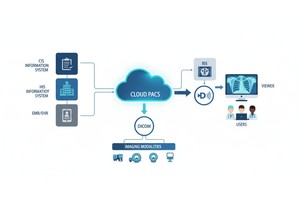
The cloud PACS workflow is similar in that MRI studies are sent from the scanner, local network, or routing system to the secure cloud archive. When uploaded, the study is accessible to authorized users via a compatible viewer, can be shared as necessary, and can be retrieved for follow-up care.
A typical MRI workflow on the cloud PACS is as follows:
1. The Mri Scanner Creates Dicom Images.
2. The Study Is Sent To Pacs Or To The Cloud.
3. The Mri Study Is Securely Stored In The Cloud Pacs.
4. The Study Is Opened By Using A Dicom Viewer By The Authorized User.
5. The Article Can Be Reviewed, Shared, Or Compared To Previous Tests.
If imaging data is being transported from the local imaging device to the cloud, proper medical device-to-cloud routing is critical to ensure MRI studies are reliably transferred from the medical device (MRI) or network to the cloud-based medical archive.
Both cloud and on-site PACS can be used for MRI workflows. The right choice depends on the volume of images, IT resources, access, compliance requirements, and storage requirements.
| Feature | Cloud PACS for MRI | On-Site PACS for MRI |
| Storage infrastructure | MRI studies are stored in a cloud archive | MRI studies are stored on local servers |
| Hardware needs | Lower demand for local server infrastructure | Requires local server investment and maintenance |
| Remote access | Easier for authorized users across locations | Often requires VPN or additional access setup |
| Scalability | Storage can expand as MRI volume grows | May require hardware upgrades as volume increases |
| Study sharing | Supports easier online sharing workflows | Often depends on exports, discs, or local portals |
| Prior exam access | Helps users retrieve studies from different locations | Access may be limited by local network setup |
| Backup and recovery | Cloud backup options may be available | Depends on the facility’s local backup strategy |
Cloud PACS is particularly valuable when MRI examinations must be viewed by radiologists who are out of the office, team members, referring physicians, or external specialists. For those that are already well-established with solid internal infrastructure and maintain full control, on-site PACS can still be suitable.
Storing MRI studies is only part of the workflow. It is also important to be able to easily open and view the images on the screen to aid the radiologist and clinician.
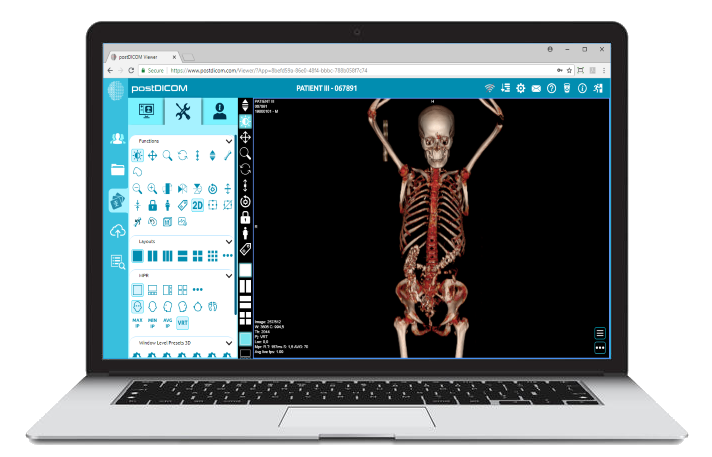
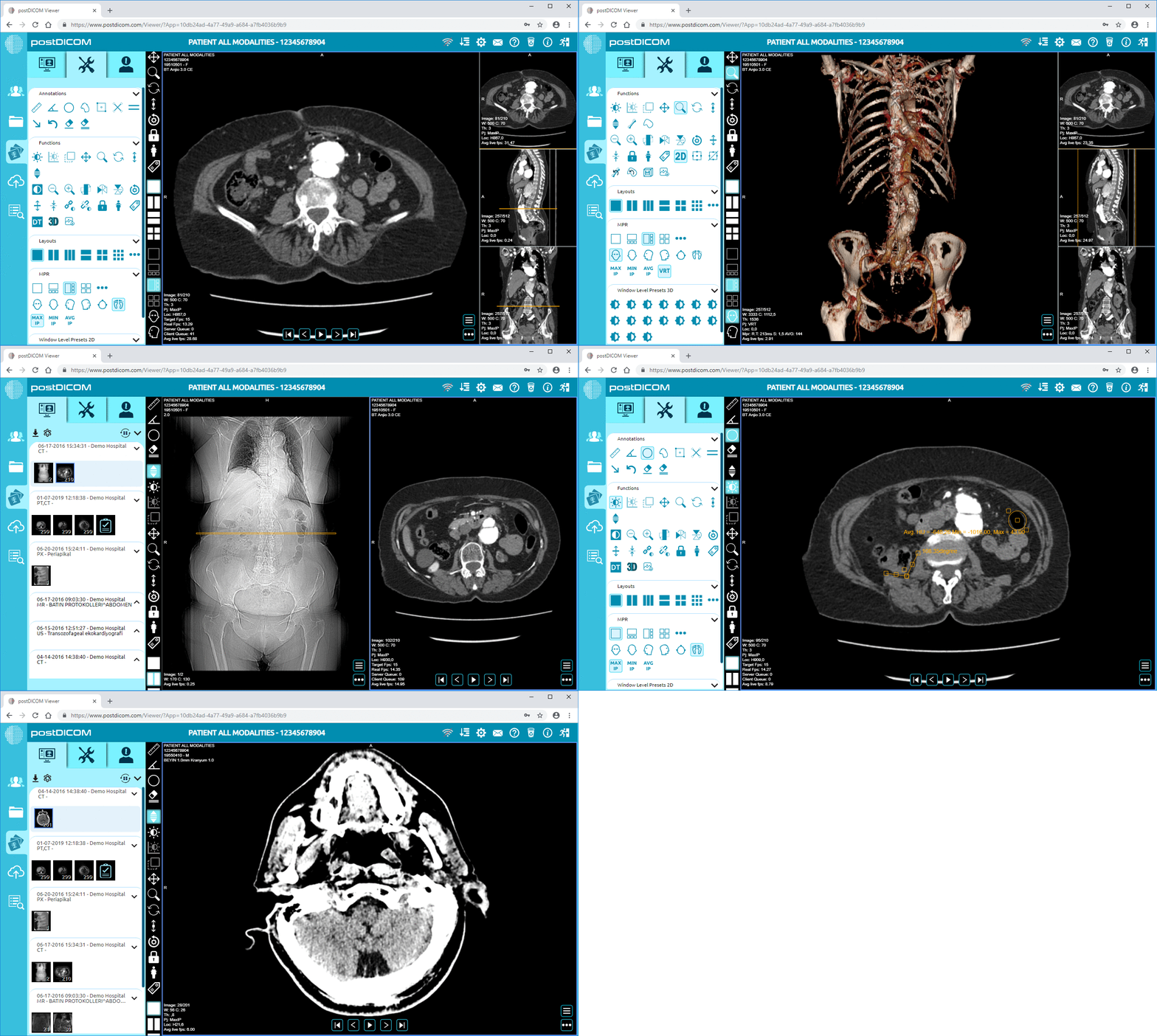
Authorized users can view MRI studies without downloading heavy software to their computers, using a browser-based Diagnostic DICOM Viewer. This can facilitate distance reading, follow-up evaluations, second opinions, and teamwork between care providers.
Helpful MRI viewing tools could be measurement tools, series comparison, window control, multiplanar reviews, prior study access, and secure user authentication. The viewer provides access and review tools, and diagnosis and interpretation are left to qualified medical personnel.
CDs and DVDs with MRI contents are slow, cumbersome, and hard to handle. Patients can lose discs, external physicians might not be able to open them, and imaging centers might need to prepare extra copies physically.
Connecting MRI with Cloud PACS will enable easier sharing of MRI through secure online channels. This is helpful for patients who have to share their MRI with the surgeon, referring doctor, specialist, or another healthcare center.
Medical image sharing enables organizations to minimize reliance on physical media and make it easier to access MRI for external care teams.
(2) - Created by PostDICOM.jpg)
The imaging center is independent but may handle a high volume of MRIs and does not want to set up a complex infrastructure locally. Cloud PACS can allow them to store exams, provide access to referring physicians, and scale storage based on study volume.
Consistent access to imaging studies is required to read for multiple sites. Cloud PACS can be used to facilitate remote MRI review in conjunction with secure user permissions and a reliable DICOM viewer.
Cloud PACS can be used for backup, external sharing, multi-site access, or second-opinion workflows in hospitals. Clinics will also be able to get MRI studies for follow-up visits without relying on physical discs.
Both secure and timely access to imaging studies are critical to teleradiology. Cloud PACS can assist in providing access to MRI exams to authorized readers while maintaining control.
MR data is frequently required to be linked to patient records, reports, orders, and clinical workflows. For larger companies, integration is crucial to imaging infrastructure.
Cloud PACS might need to integrate with other systems, such as RIS, HIS, EHR/EMR, reporting systems, patient portals, and the referring physician's workflows. PostDICOM's API/FHIR integrations allow organizations to seamlessly integrate imaging workflow into their overall healthcare system
PostDICOM is a cloud-based medical imaging solution that enables healthcare organizations to store, view, share, and manage MRI studies online. In the context of MRI workflows, this can help ensure secure access to images, collaboration, remote viewing, and minimize the need for physical media.
For those who require cloud storage for MRI studies, online DICOM viewing, secure image sharing, backup capabilities, and integration with broader imaging workflows, PostDICOM could be a valuable option.
The optimal configuration is determined by a variety of factors, including the volume of MRIs in use, user responsibilities, security needs, and existing infrastructure.
Cloud PACS for MRI is a cloud-based imaging system in which MRI studies are stored in DICOM format, with online access for viewing, retrieval, and sharing for approved users.
Yes. The DICOM format is used to store MRI images, and cloud PACS systems are optimized for secure storage and management of DICOM medical imaging studies.
Yes, as long as there is secure remote access to the system and a compatible DICOM viewer. Authorized radiologists can access MRI studies online, view the images, and compare previous MRI studies, if available.
The MRI studies can be accessed securely online or shared with controls in a cloud PACS platform. This can help the patient, their doctor, and specialists access imaging without physical discs.
It is dependent on the organization. Cloud PACS may prove superior in terms of scalability, remote access, sharing, and reduced local infrastructure requirements. However, on-site PACS might be appropriate for a facility with solid IT infrastructure, and that wishes to retain complete control of the system.
|
Cloud PACS and Online DICOM ViewerUpload DICOM images and clinical documents to PostDICOM servers. Store, view, collaborate, and share your medical imaging files. |