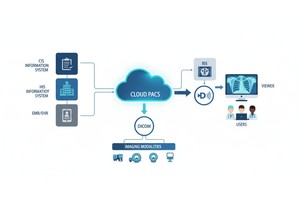
Medical imaging is an important aspect of contemporary healthcare. Diagnostic images, whether of the most basic X-rays or complex MRI scans, assist clinicians in assessing a condition, making treatment choices, and follow-ups on patient performance. Behind any medical image is a standard format that makes sure that the data can be stored, transmitted, and interpreted in the same way in all hospitals and clinical systems. The latter format is DICOM (Digital Imaging and Communications in Medicine).
DICOM standard is the international standard of dealing with medical imaging data. It specifies how images are coded, how patient details are encoded in imaging files, and how imaging systems, such as PACS (Picture Archiving and Communication Systems), handle files within healthcare systems.
One question that radiology professionals, healthcare IT experts, and imaging system developers have raised on several occasions is whether a single DICOM file could include information for more than one patient. Since imaging archives and hospital systems are handling huge volumes of studies concurrently, it might seem that the information pertaining to multiple patients might be stored in one imaging file.
As a matter of fact, the DICOM standard is created to avoid that scenario. A patient is closely linked to each DICOM object to guarantee clinical safety, data integrity, and compliance to regulations.
To find out the reasons why this is so, one must discuss the structure of a DICOM file, how metadata can be used to identify patients, and how medical imaging systems can be used to organize imaging data in healthcare settings.
No, the DICOM file cannot store information about several patients.
Every DICOM file represents a single imaging incident and contains metadata that identifies a single patient. DICOM standard has a hierarchical format of storing imaging data: Patient- Study- Series- Instance, which is important, because it makes sure that all images are associated with the appropriate patient record in any medical imaging system.
• The Dicom File Is A Single Imaging Image, E.g. A Single Ct Slice, Mri Frame Or X-ray Image.
• Every Dicom File Has Metadata That Identifies Only One Patient.
• Dicom Organizes Imaging Data Using A Hierarchical Model: Patient → Study → Series → Instance.
• A Pacs Archive Or Imaging Database Can Have Multiple Patients, But Never One Dicom File.
• This Framework Safeguards Clinical Accuracy, Integrity In Patient Identities And Reliability In Diagnosis.
A DICOM file is a specialized digital format used to store medical imaging data along with important information about the patient, the imaging study, and the acquisition parameters.
A DICOM file is not simply a storage of pixels, as in the case of a conventional image like a JPEG or PNG image. It incorporates two significant elements in one building:
1. Image Pixel Data Containing The Actual Diagnostic Image.
2. Metadata Is Descriptive Information On The Patient And Imaging Procedure.
The DICOM standard guarantees the sharing of medical images between various systems which include:
• Hospital Information Systems (his)
• Radiology Information Systems (ris)
• Picture Archiving And Communication Systems (pacs)
• Cloud-based Imaging Platforms
Due to such standardization, clinicians and radiologists are able to use DICOM files in the systems of other vendors and still retrieve valuable clinical information.
A single DICOM file describes one imaging instance, typically a frame or slice in a diagnostic study.
A DICOM file is much more than an image. It contains organized information that explains all significant points of the imaging process.
The visual data recorded during imaging is stored in the pixel data section. This may comprise images of modalities, including:
• Ct (computed Tomography)
• Mri (magnetic Resonance Imaging)
• X-ray
• Ultrasound
• Mammography
• Pet Scans
A research study could consist of hundreds or even thousands of individual DICOM files, depending on the modality, each representing a separate image slice.
The metadata component has aligned attributes that explain the environment of the image. This information includes:
• Patient Identification
• Study Date And Time
• Imaging Modality
• Acquisition Parameters
• Equipment Details
• Clinical Notes
Metadata is also contained under DICOM data elements which are often called DICOM tags. The tags are identical to a piece of information in the file.
For example, tags may include:
• Patient Name
• Patient Id
• Study Instance Uid
• Series Instance Uid
• Sop Instance Uid
These identifiers ensure that all images are linked to the appropriate patient and clinical examination.
To see why a single DICOM file cannot store more than one patient, one should learn about the hierarchical approach that DICOM uses to organize imaging data.
DICOM model divides the information into four levels.
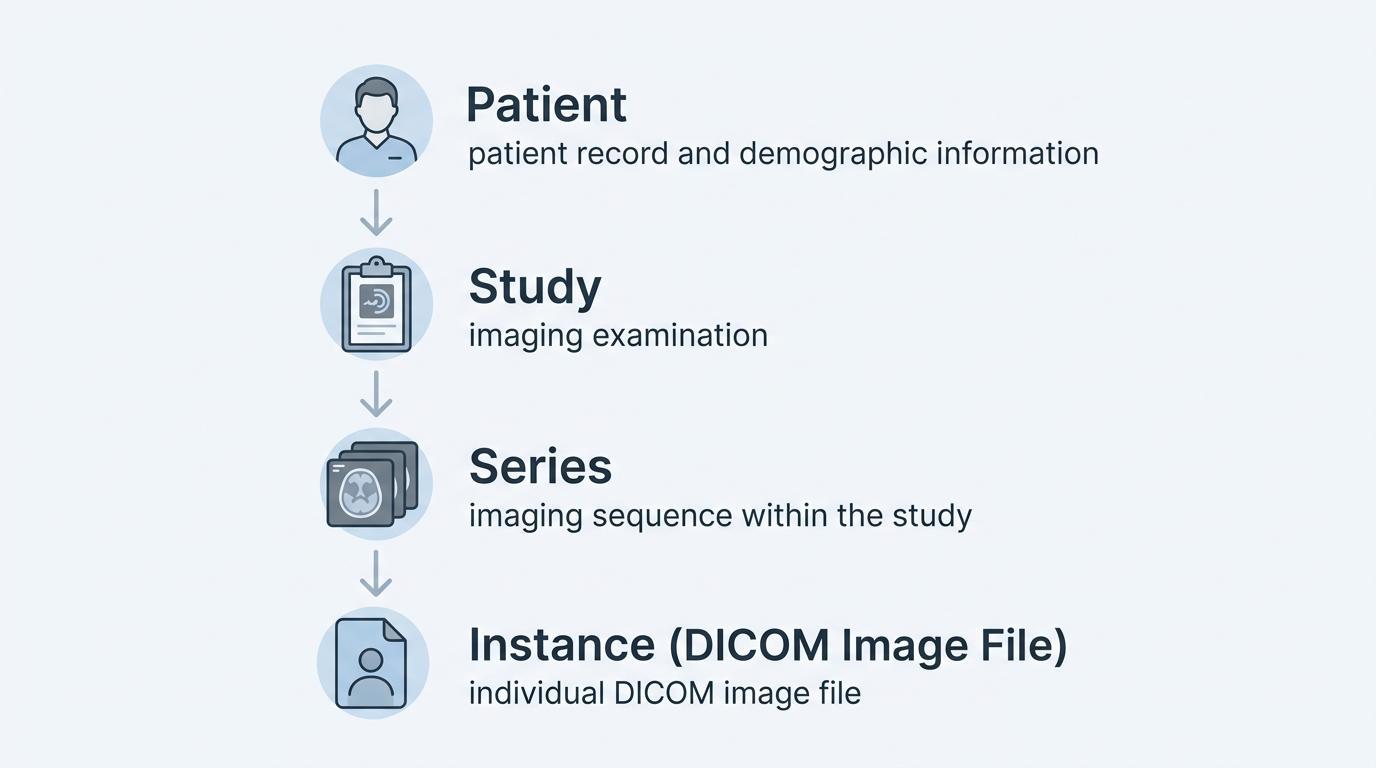
The patient level is the person under care by the medical world. The identifiers that are commonly used as patient-related metadata are patient name, patient ID, date of birth and sex.
Any imaging studies done on that particular person are all listed under the same patient record.
A study is a certain diagnostic test conducted on the patient. An example is such that a patient may have CT scan of the chest or MRI of the brain. Every study is referred to as an examination.
A study can have multiple imaging series and is uniquely described by a Study Instance UID.
In both pieces, the images are placed in series. A series of images is generally a sequence of images obtained with the same imaging protocol or sequence.
As an example, a CT study can contain:
• Axial Slices
• Contrast-enhanced Images
• Reconstruction Series
All series are given a Series Instance UID.
The individual level is at the level of individual images. All the images are stored as individual DICOM files and distinctly identified by a SOP Instance UID.
Such a hierarchical arrangement will make sure that every imaging file is indexed to a given patient, study, and series.
The DICOM standard was created with a focus on patient safety and clinical precision. There would be a high risk of clinical workflow complications if more than one patient were included in a single imaging file.
A DICOM file contains patient identification metadata embedded in its metadata. Clinical systems use this metadata to identify the patient record to which the image belongs.
In the case of a single DICOM file, which would be permitted to have several patient identifiers, a number of issues would be detected:
• The Imaging Systems May Give Images To The Wrong Patient.
• Radiologists Were Able To Read The Images Of Other People.
• Hospital Systems Would Not Be Able To Keep Proper Records Of Patients.
• Compliance With Regulations May Be Undermined.
To avoid such risks, the DICOM standard has stringent provisions that the imaging object must be related to a single patient record.
This design assists in preserving the correct clinical records and assists the caring programs in conducting safe diagnostic practices within medical houses.
Even though it is not possible to store multiple patients in a single DICOM file, medical imaging settings are usually required to process thousands of patients at a time.
Not one patient is located on a file, but multiple patients are found on imaging databases and archives.
These systems include:
• Pacs Archives
• Hospital Radiology Stores
• Radiology Information Systems (ris)
• Enterprise Imaging Solutions
In such systems, individual patient records can have many imaging studies, and a series of studies can have many images.
The imaging infrastructure will sort these files based on database identifiers and indexes as opposed to merging the files of many patients in a single file.
DICOM metadata is also important in ensuring that every imaging object is linked to the right patient.
Each DICOM file has hundreds of structured data elements. Some of the most vital tags are those used to identify patients and imaging studies.
General patient DICOM tags are:
| Tag | Description |
| Patient Name | Identifies the patient |
| Patient ID | Unique patient identifier |
| Patient Birth Date | Date of birth |
| Patient Sex | Biological sex |
There are other identifiers that guarantee that data in imaging is sorted out in the studies and series:
| Tag | Description |
| Study Instance UID | Unique identifier for the imaging study |
| Series Instance UID | Identifier for each imaging series |
| SOP Instance UID | Identifier for each individual image |
These identifiers make imaging systems to be able to retrieve and organize medical imaging in a large clinical setting.
PACS systems act as the main point of storing and accessing the DICOM imaging data in hospitals and imaging centers.
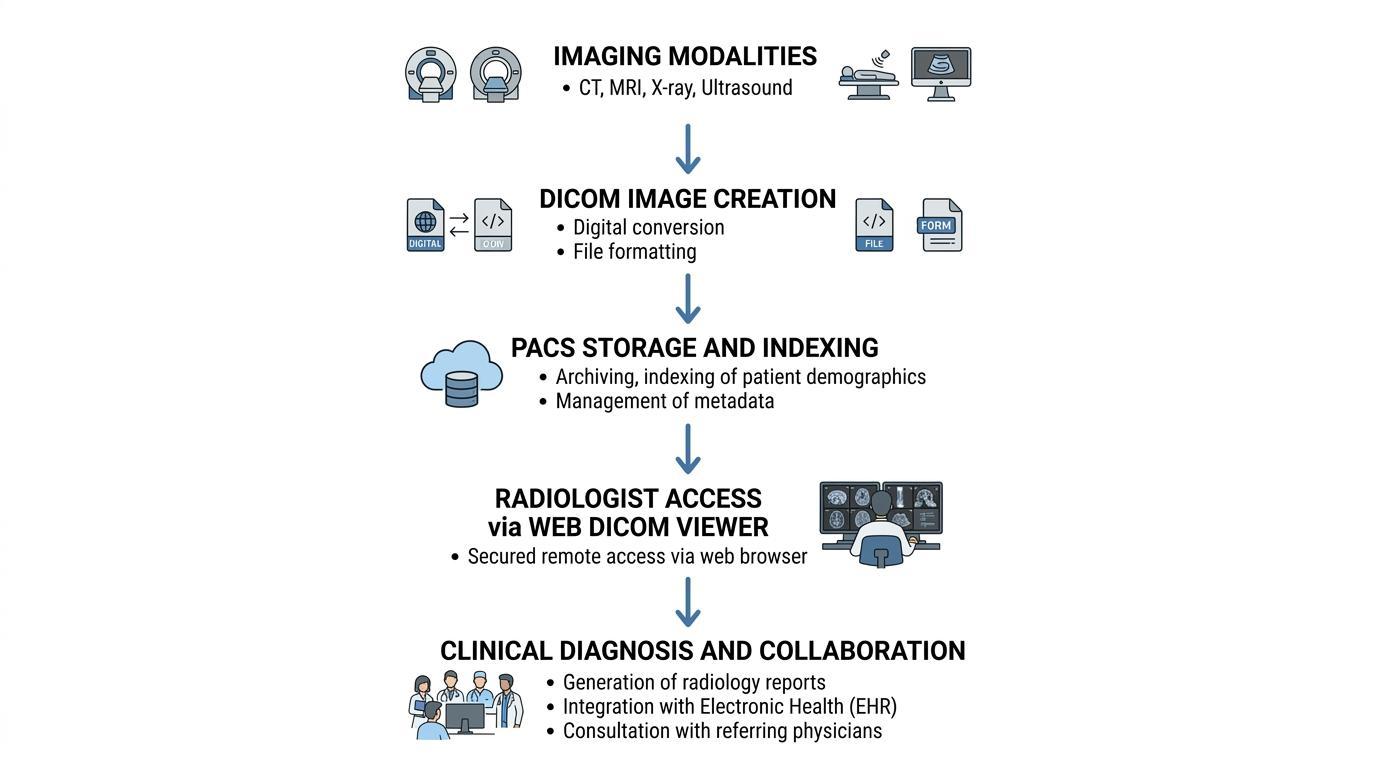
When imaging studies are conducted, the DICOM files are sent by imaging devices to the PACS server. The files are then indexed in the PACS system, according to the metadata in each of the DICOM header.
This indexing process organizes images according to the hierarchical structure:
Patient
→ Study
→ Series
→ Image (DICOM file)
Imaging studies can then be accessed by radiologists and clinicians by searching through identifiers of patients, date of study, or type of examination.
This process is further facilitated in modern cloud PACS platforms, in which remote access is done in a secure manner, storage can be scaled, and the imaging workflow can be integrated in several healthcare facilities.
It is a common misunderstanding when a file and an archive are mixed that a single DICOM file could have more than one patient.
This misunderstanding can be caused by a number of situations.
An example is that images studies are occasionally sent as compressed folders or archive packages of numerous DICOM files. Such packages can contain images from more than one patient, which, if exported incorrectly, can appear to contain many patient records in a single file.
Likewise, the imaging databases can hold several datasets of patients in the same storage facility, yet each image in that archive is a distinct DICOM file associated with one patient.
The difference between storage containers and individual DICOM objects helps explain why the DICOM standard does not support multiple patients in a single file.
With the growing use of cloud technologies in the medical sphere, the contemporary imaging infrastructure should include tight controls of patient identification and be able to scale the data storage.
Some of the mechanisms used by cloud PACS platforms to guarantee data integrity are:
• Computerized Metadata Validation
• Checking Of Patient Identifiers
• Study-level Indexing
• Secure Access Controls
• Audit Logging And Compliance Monitoring
These systems make sure that every imaging object is appropriately linked to the right patient record as well as allowing clinicians to gain access to imaging studies at the distributed sites.
The use of cloud-based architectures also enhances the sharing of information between healthcare providers and allows radiologists to look through images safely between hospitals, clinics and telemedicine settings.
DICOM standard forms the basis of the manner in which medical imaging information is stored, organized and sent throughout the present healthcare frameworks. Using image data with structured metadata, DICOM is able to keep all diagnostic images connected to the appropriate patient and the clinical environment.
One imaging instance is represented by a single DICOM file and is linked to a single patient. Such a rigorous format guarantees patient safety, eliminates clinical errors, and makes sure that the imaging systems keep precise diagnostic data.
Although medical archives and PACS systems might include the imaging data of thousands of patients, the images in the systems are still discrete DICOM objects linked to a patient record.
This structure is critical for radiologists, health IT specialists, and developers working with medical imaging technologies to understand.
No. The DICOM standard stipulates that a DICOM file must be linked to one patient record only. It would be dangerous to allow several patients to be in a single file with clinical and data management risks.
The DICOM metadata normally contains patient name, patient ID, date of birth, sex, and other identifiers that are required to determine the image with the appropriate medical record.
Yes. PACS systems are used to handle imaging reports of a large number of patients. Nevertheless, all the pictures in the PACS contain images as individual DICOM files associated with a particular patient.
A study is a whole imaging analysis of a patient and a DICOM file is an image or an instance of a study.
Yes. The anonymization of DICOM files may be achieved by deleting patient identifiers or altering them. This is a common process that is utilized in research, learning or data sharing.
|
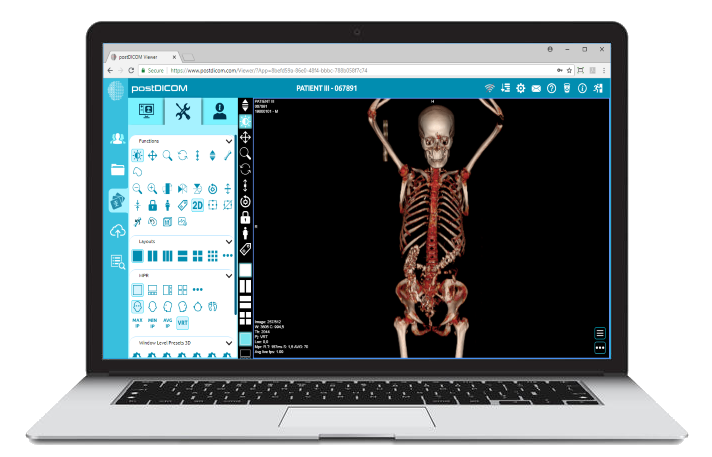
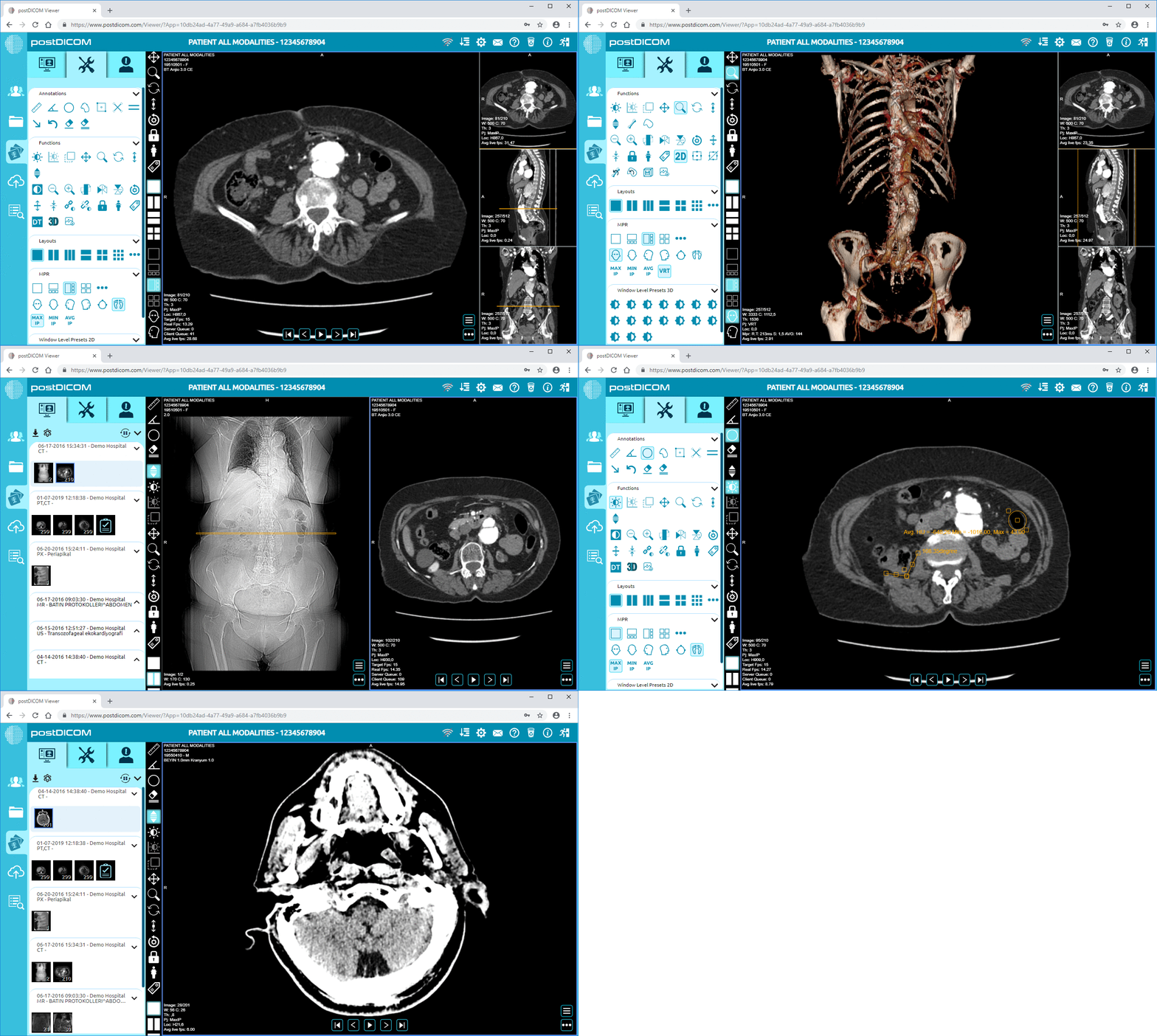
Cloud PACS and Online DICOM ViewerUpload DICOM images and clinical documents to PostDICOM servers. Store, view, collaborate, and share your medical imaging files. |