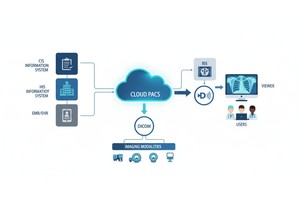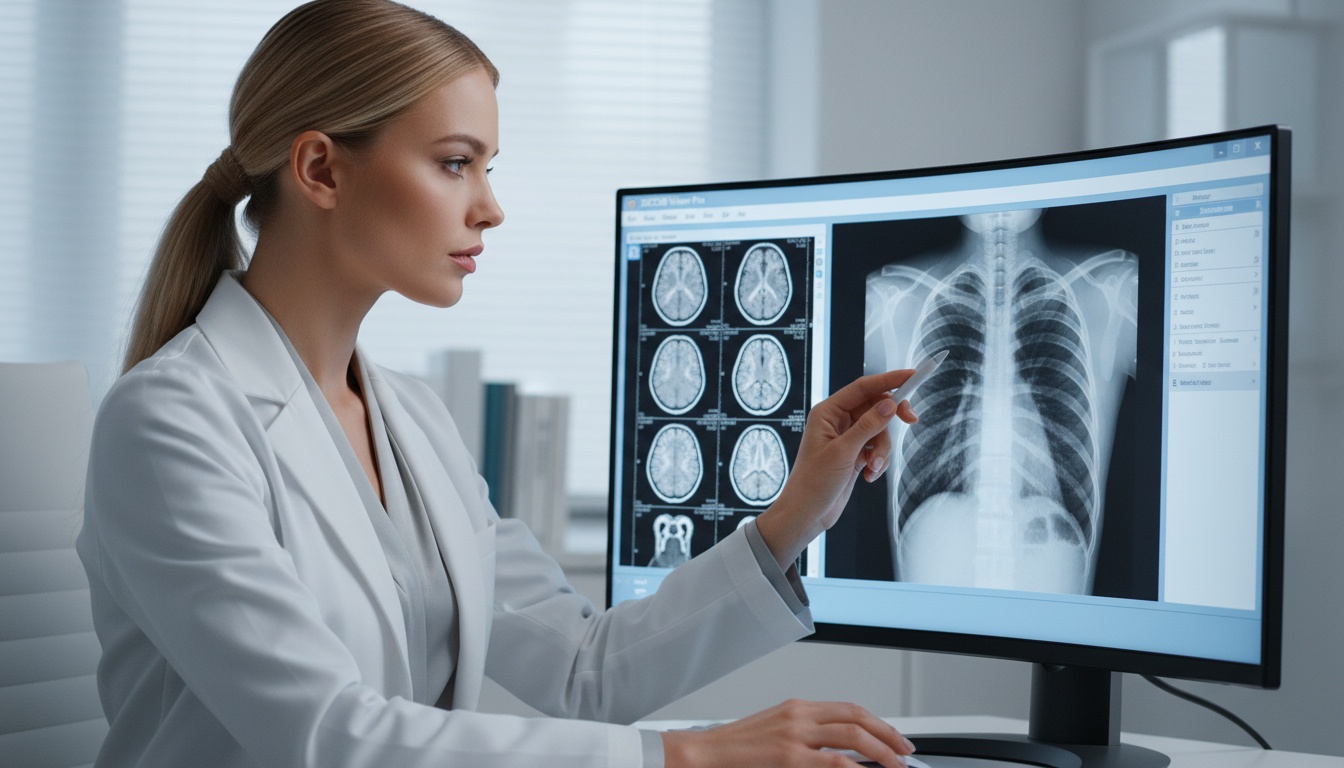
Medical imaging has become a fully interconnected information ecosystem, rather than individual radiology workstations and film archives. Imaging studies are now carried across departments, facilities, and geographical locations without any hindrances- to aid quicker diagnosis and collaboration and patient care.
Regardless of this development, there is still confusion about two basic elements of this ecosystem: DICOM and PACS.
They are frequently referred to as a pair and interchangeably. But operationally, and in system design, they have very different purposes.
Knowing the difference between DICOM and PACS, and the interaction of the two, is critical to health care providers, IT leaders and decision-makers creating modern imaging infrastructure.
What is DICOM?
DICOM (Digital Imaging and Communications in Medicine) is a standard and protocol that specify the format, storage, and transmission of medical images.
What is PACS?
PACS (Picture Archiving and Communication System) refers to an integrated system of medical imaging storage, management, retrieval and distribution.
Key Difference:
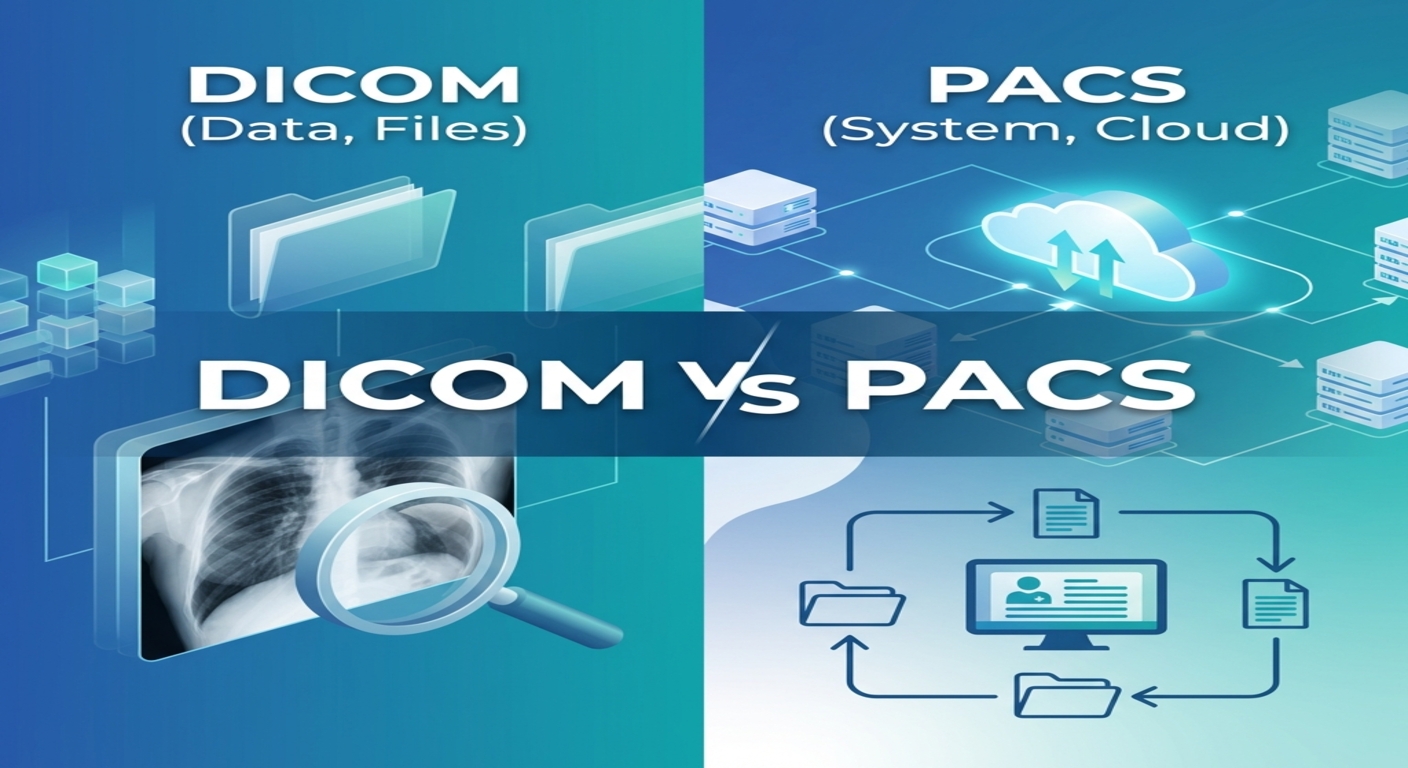
The language is called DICOM and the system is called PACS, which uses the language to coordinate imaging workflow.
In simple terms: The DICOM standardizes medical imaging infrastructure. PACS converts that information into a workflow that can be used clinically.
• Dicom Is An Imaging Standard Of Communication And Data.
• Pacs Controls Storage, Access And Workflow.
• Cloud Pacsincreases Scalability And Accessibility.Cloud PACS
• Contemporary Systems Consist Of Vna And Api Layers.
• These Are The Backbone Of The Modern Medical I
This is very confusing since DICOM and PACS are closely related and almost always used in combination.
From a systems perspective:
• Dicom Is A Protocol And Data Level Operating System.
• Pacs Functions At The System, Workflow And Infrastructure Levels.
A useful analogy:
• Dicom Is Comparable To Http (a Communication Protocol).
• A Web Platform Based On That Protocol Is Pacs.
• Pacs Is Unable To Communicate And Read Imaging Data Without Dicom.
• In The Absence Of Pacs, Dicom Files Are Not Organized And Can Be Challenging To Retrieve In Large Numbers.
The history of imaging systems is a good place to start in order to appreciate the significance of DICOM and PACS.
Medical photographs were left on physical films. Transport and storage was always limited to manual means and storage.
Imaging became digital with the advent of DICOM. Hospitals installed on-site PACS servers to keep track of storage and retrieval. Although this enhanced efficiency, it came with the problem of scalability, maintenance and accessibility remotely.
Cloud PACS has become the trend of modern healthcare. Globally available now, imaging data can be used to collaborate in real-time, conduct telemedicine, and perform AI-based diagnostics.
Key Insight:
Medical imaging has gone beyond the days of storage devices to dynamic and distributed systems.
DICOM is much more than a file format, but is an overall standard that defines the manner in which medical imaging data is organized and transmitted.
It defines:
• Modalities Image Format Includes Ct, Mri, X-ray And Ultrasound.
• Metadata Records (patient Data, Time, Type Of Modality)
• Protocols Of Transmitting Imaging Data Between Systems.
A DICOM file has two important elements:
• Pixel Data (the Image As It Is)
• Metadata (patient Id, Description Of The Study, How It Was Acquired, Etc.)
This two-fold format is critical so that not only can the imaging data be viewed but it should also be context-rich and actionable by the clinician.
Interoperability is one of the strongest aspects of DICOM. The same devices made by other manufacturers can communicate with each other easily since they are all of the same standard.
In simple terms:
DICOM is designed so that imaging data can be transferred between systems without loss in meaning and structure.
PACS is an integrated imaging management system that puts medical imaging processes to work.
It is a set of several built-in components:
• Image Archiving (long-term And Short-term Storage).
• Quick Search With Database Indexing.
• Dicom Communication Server.
• Clinician Interface To Dicom Viewers.
• Hit Interface With His, Ris And Ehrs.
PACS is a dynamic, accessible, and collaborative clinical system that converts non-portable imaging files into a dynamic type.
• Imaging Data Is Centrally Stored.
• Rapid Retrieval Of Studies.
• Interdepartmental Multi-user Access.
• Secure Sharing Of Images.
• These Need To Be Integrated Into Clinical Workflows.
In simple terms:
PACS translates imaging data into a functioning healthcare workflow system.
| Aspect | DICOM | PACS |
| Type | Standard / Protocol | System / Platform |
| Purpose | Defines formatting and transmission | Manages workflows and storage |
| Function | Data exchange and interoperability | Storage, retrieval, distribution |
| Scope | Data-level | System-level |
| Dependency | Independent standard | Depends on DICOM |
| User Interaction | Minimal | High (clinician-facing) |
 - Presented by PostDICOM.jpg)
 - Presented by PostDICOM.jpg)
• Imaging Devices Produce Images In A Dicom Format.
• Data Is Sent In The Dicom Protocols.
• The Data Is Received, Organized And Stored By Pacs.
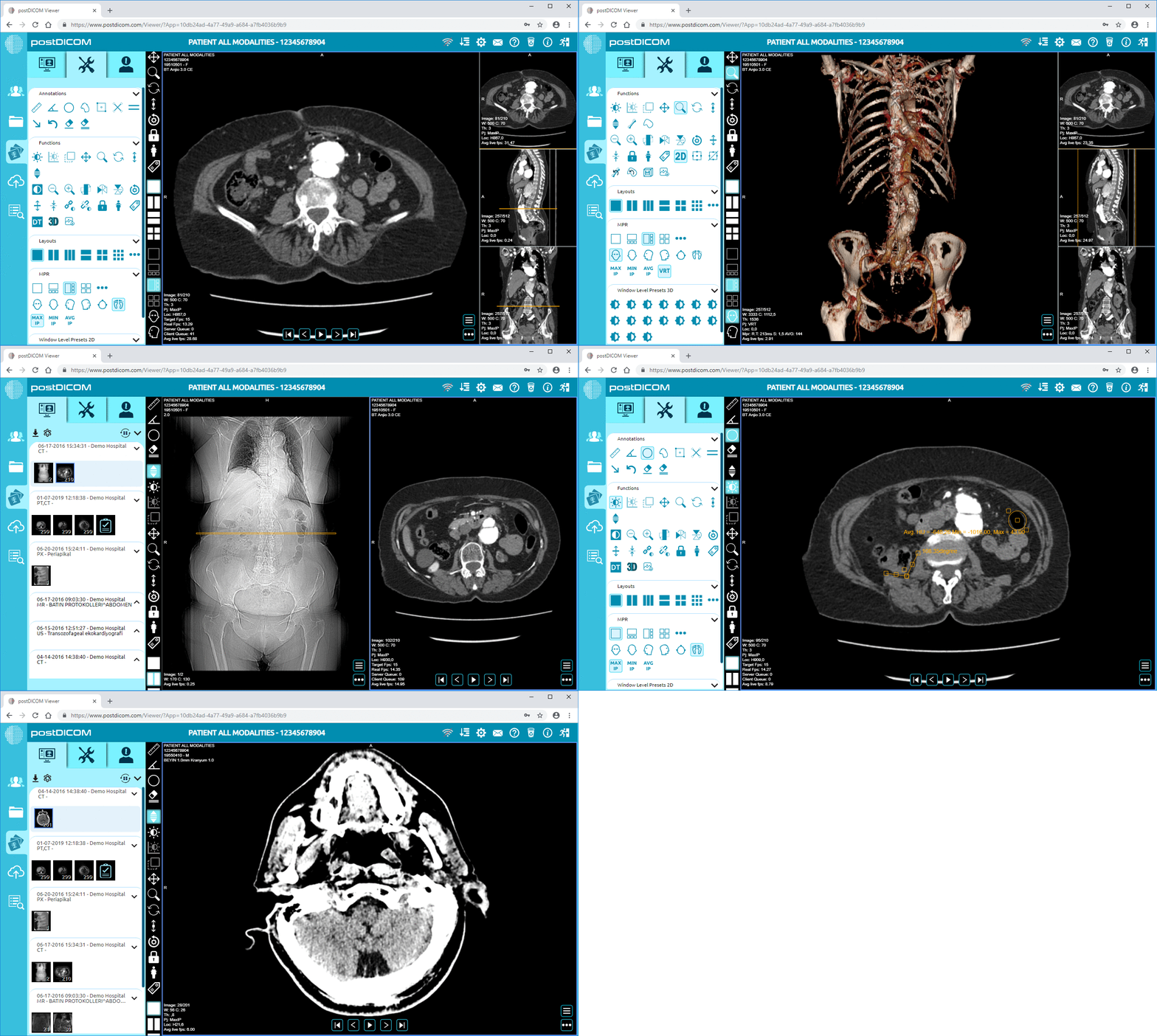
• Studies Are Made Available To Clinicians Via A web-based Dicom Viewer.web-based DICOM viewer
Acquisition → Transmission → Storage → Retrieval → Interpretation → Archiving
In simple terms: DICOM facilitates the exchange of data. PACS manages its lifecycle.
Contemporary imaging facilities are not confined to the old-fashioned PACS.
A VNA is a storage layer that isolates imaging data of vendor-specific PACS systems.
Key benefits:
• Long-term Data Ownership
• Easier System Migration
• Reduced Vendor Lock-in
This includes:
• Hl7 Messaging Systems
• Fhir Apis
• Routing And Transformation Middleware.
• Enables Enterprise-wide Imaging Strategies
• Improvesinteroperability Across Systemsinteroperability across systems
• Supports Scalable, Future-ready Infrastructure
 - Presented by PostDICOM.jpg)
Key Takeaway: The present-day imaging is no longer merely a PACS it is rather a multi-layered ecosystem that integrates DICOM, PACS, VNA, and APIs.
Conventionally used PACS systems operated on premises which were costly to purchase and maintain.
Cloud PACS solution turns imaging into a scalable, flexible and accessible platform.
• Scalability And Elastic Storage.
• Synchronization And Access To Multi-sites.
• Multi-device Web Viewing.
• Ehr Integration Through Api.
Medical imaging is a highly sensitive area that needs to consider security.
With the modern Cloud PACS, the following are in place:
• End-to-end Encryption (data In Transit And At Rest)
• Role-based Access Control
• Logging And Monitoring Of Audits.
• Adherence To Healthcare Policies (hipaa, Gdpr-equivalent Laws)
Most organizations believe that cloud systems are not as safe. As a matter of fact, properly developed Cloud PACS storage solutions are often more secure compared to on-prem systems, because of:
• Continuous Monitoring
• Automated Updates
• Enterprise-grade Infrastructure
In simple terms:
Cloud PACS is built to be secure, compliant, and enterprise-ready.
MRI scan → DICOM → Cloud PACS → Remote radiologist → Report delivery
Rural X-ray → Cloud PACS → Specialist review → Immediate diagnosis
On-prem PACS → Cloud migration → Reduced IT burden → Improved access
Across all scenarios:
DICOM is known to be consistent whereas PACS is known to be workflow and access efficient.
| Factor | On-Prem PACS | Cloud PACS |
| Cost | High upfront (CapEx) | Subscription-based (OpEx) |
| Scalability | Limited | Highly scalable |
| Maintenance | Internal IT required | Vendor-managed |
| Accessibility | Restricted | Anywhere access |
| Upgrade Flexibility | Slow | Continuous |
• Multi-location Healthcare Providers.
• Limited It Resources
• Need For Remote Access
• Rapid Growth Environments
Practical takeaway: Cloud PACS platform is best suited in new, expansive, and decentralized healthcare.
You need DICOM when:
• Generating Imaging Data
• Ensuring Interoperability
You need PACS when:
• Managing Imaging Workflows
• Enabling Collaboration
Final insight: DICOM and PACS are not substitutes they are the parts of one system.
• Dicom Is Not Software
• Pacs Does Not Replace Dicom
• Dicom Files Are Not Images Only
• Pacs Is Not Possible Without Dicom
Frequently Asked Questions
DICOM is a standard and PACS is a system upon which that standard is applied.
Yes, but the scaling of data management is inefficient.
Yes, PACS systems nowadays are based on DICOM.
An imaging data remote store and access system operating on a cloud basis.
Yes, encryption, access control and compliance.
An image data storage repository maintained by a vendor-neutral method, not dependent on PACS suppliers.
Yes, using HL7 and FHIR standards.
Imaging centers, hospitals and multi-location providers.
There is a loss of interoperability and data consistency within the systems.
Yes, even small setups benefit from structured imaging workflows.
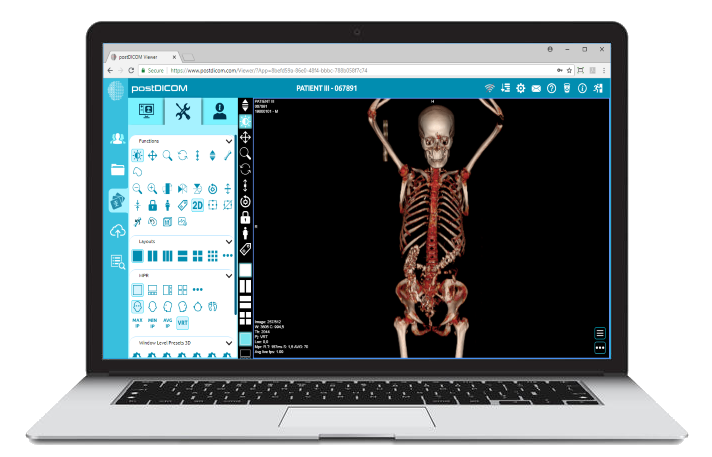
|
Cloud PACS and Online DICOM ViewerUpload DICOM images and clinical documents to PostDICOM servers. Store, view, collaborate, and share your medical imaging files. |